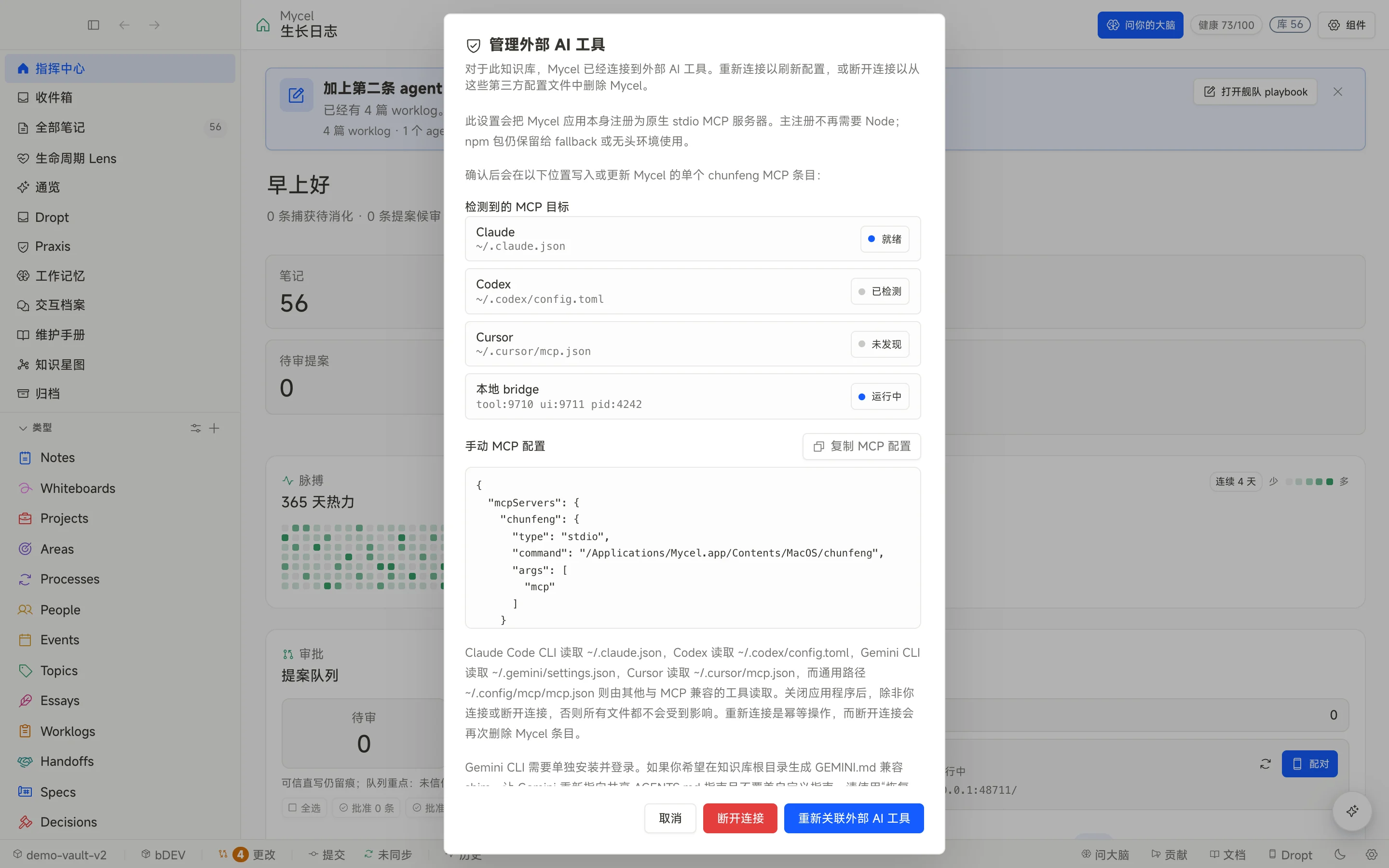
Recommended entry: native MCP stdio
The app package includes chunfeng mcp. It does not depend on a Node launcher — MCP clients can treat the Mycel app binary as a stdio server directly.
chunfeng is Mycel’s internal executable name (crate / app binary). Copy it exactly in MCP configs — do not rename it to mycel or the connection will fail.
{
  "mcpServers": {
    "chunfeng": {
      "type": "stdio",
      "command": "/Applications/Mycel.app/Contents/MacOS/chunfeng",
      "args": ["mcp"]
    }
  }
}
Codex config
Codex uses this TOML fragment:
[mcp_servers.chunfeng]
command = "/Applications/Mycel.app/Contents/MacOS/chunfeng"
args = ["mcp"]
Agent support matrix
| Agent | Detected as installed/authenticated | Boundary |
|---|---|---|
| Claude Code | Yes | Supports verified model flags and local model discovery. |
| Codex | Yes | Supports verified model flags and local model discovery. |
| OpenCode | Yes | Detected as a CLI; model discovery is not documented as supported. |
| Pi | Yes | Supports verified model flags and local model discovery. |
| OMP (oh-my-pi) | Yes | Supports verified model flags; no documented local discovery pass. |
| Gemini CLI | Yes | Detected as a CLI; use standard MCP wiring. |
| Kiro | Yes | Detected as a CLI; use standard MCP wiring. |
| Hermes Agent | Yes | Supports verified model flags; no documented local discovery pass. |
| exo | Yes | Detected as a CLI; use standard MCP wiring. |
| CodeBuddy Code | Yes | Detected as a CLI; use standard MCP wiring. |
| WorkBuddy | Yes | Detected as a CLI; use standard MCP wiring. |
| ZCode | Yes | Local model configs can be listed, but the model row is display-only today. |
| Qwen Code | Yes | Detected as a CLI; use standard MCP wiring. |
| Cursor CLI | Yes | Supports verified model flags and local model discovery. |
| GitHub Copilot CLI | Yes | Detected as a CLI; use standard MCP wiring. |
| Aider | Yes | Detected as a CLI; use standard MCP wiring. |
| Amp | Yes | Detected as a CLI; use standard MCP wiring. |
Tool boundaries
Per docs/MCP.md, tools/list exposes 20 tools covering vault context, search, proposals, action guidance, memory candidates, and outcome review. Write tools follow the proposal contract: creating or changing notes first produces a proposal that waits for your approval in Mycel.
For read-only context, prefer vault map, search, and get_note style tools. To change content, use propose-style tools.
AI workspace and local model discovery
The current AI workspace lets you switch agents inside Mycel, then choose a model when that agent supports it. Local discovery is read-only: Mycel reads existing config files and never invents a CLI flag for you.
- Discovery currently reads five config families: Codex, Claude Code, Cursor CLI, Pi, and ZCode.
- Verified model-flag support exists for Claude Code, Codex, Cursor CLI, Hermes Agent, and Pi.
- ZCode model rows are shown for visibility, but Mycel does not execute a ZCode model flag from that picker yet.
- If discovery finds nothing, Mycel falls back to the agent’s static guidance instead of guessing hidden config.
BYOK and cost
Mycel does not bundle external LLM tokens into the product. You bring your own agent and model accounts; Mycel owns the local vault, Proposal Queue, and MCP bridge.
Bridge troubleshooting
- Confirm the Mycel desktop app is running.
- Check client and bridge status in the MCP settings panel.
- If the client loaded config but tools are missing, restart that agent client.
- If the agent appears but the model list is wrong, separate four cases: CLI missing, CLI installed but not authenticated, no local config to discover, or the agent does not support a verified model flag.
- If the binary path is missing, reinstall Mycel or point at the current install path.
Mycel detects 17 local CLIs today. That list does not include Kimi Code.