macOS blocks the first launch
If macOS blocks opening, right-click Mycel in Finder and choose Open. This page only documents the Apple Silicon macOS download path; Intel Mac and Windows still need separate smoke tests.
Activation fails or you are offline
- Confirm the email and license key match.
- Retry after the network returns. Offline grace exists, but it is not a permanent offline license.
- When moving devices, use Deactivate in the account / activation UI to free the current seat.
Sync is disabled
Sync-related commands are guarded when sync is off: they should not keep syncing indexes or show misleading status. If sync state still looks wrong, restart Mycel and watch once more.
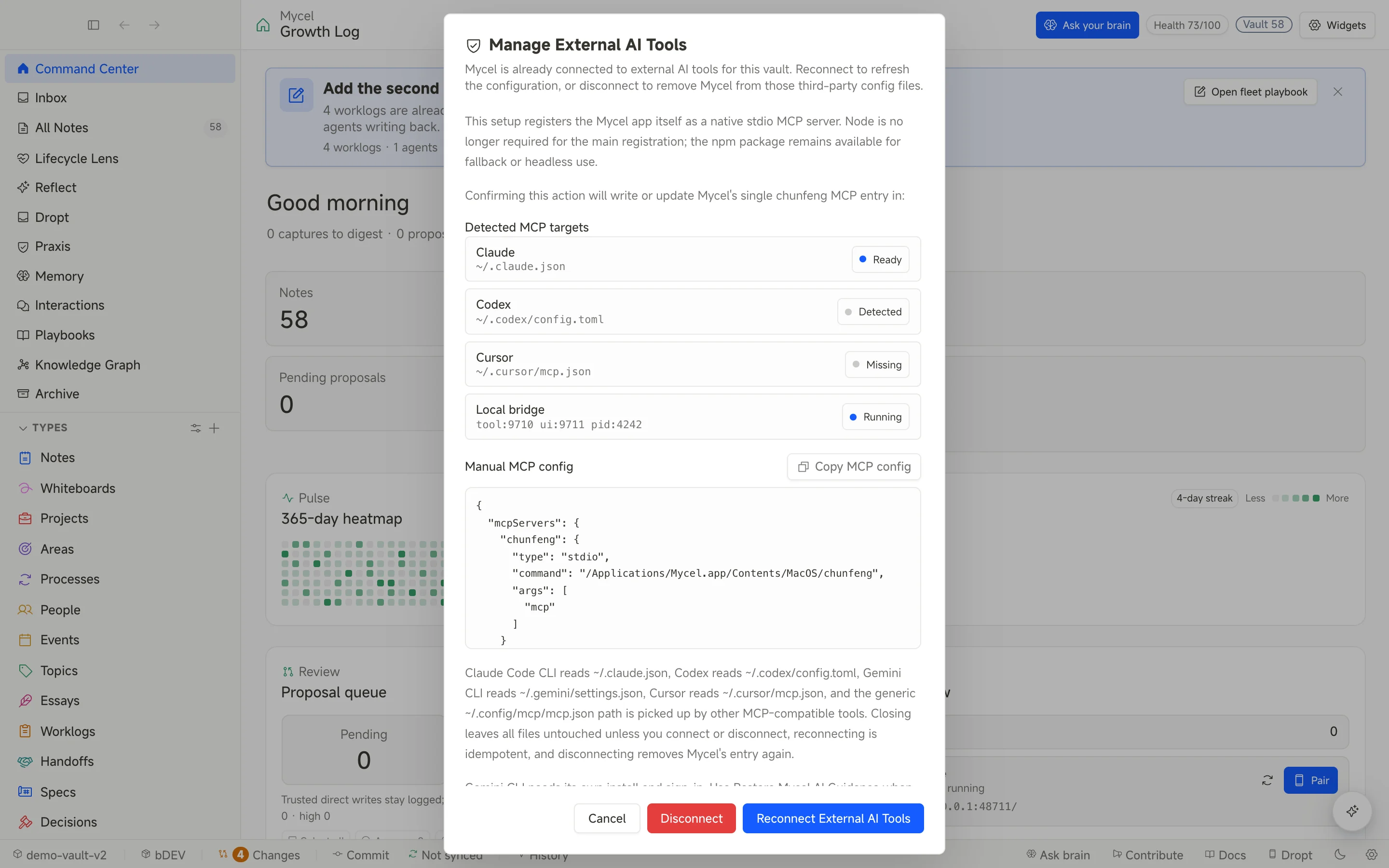
MCP tools are missing
- Confirm Mycel is running.
- Confirm the binary path in the MCP client config exists.
- Restart the agent client so it reloads config.
- Open Mycel’s MCP settings panel and check client registration and bridge status.
For Codex, check the TOML config. For Claude Code, Cursor, or other MCP clients, check the JSON config.
Agent or model list looks wrong
- If the agent is missing entirely, confirm the CLI is installed and on
PATH. - If the agent is detected but unavailable, confirm it is authenticated on this machine.
- If the agent opens but no models appear, the local config file may not exist, or that agent may not be in the supported discovery set.
- If a model is listed but cannot be launched, the agent may not support a verified model flag. Discovery and execution are different boundaries.
- Do not treat MCP server JSON and local model config as the same thing. One registers Mycel; the other only helps Mycel prefill an agent model choice.
Search returns nothing
- Confirm the vault scan has finished; in-app search is BM25 keyword recall.
- Semantic/vector retrieval is not built in — point your own agent or vector tooling at the vault (plain Markdown). See the BYO vector search guide.
- If you only need to know whether a file exists, use plain search or the file list first.
Mobile capture does not arrive
- Same-network local page: confirm the phone can reach the address shown on desktop.
- Relay: confirm relay URL, write token, and drain token match.
- iOS Shortcut: still requires manual setup; email silicoville@gmail.com for the current notes.
- Android share target: confirm the PWA is installed and you started from the system share sheet.
Chrome clipping fails
Confirm the desktop app is running, then check connection status in the extension popup. When the local bridge is unavailable, the extension parks items in an outbox and sends after reconnect.
Still stuck?
Send the Mycel version, OS version, agent client, whether you self-host relay, and reproduction steps to silicoville@gmail.com or X.